Screen time app for iPhone:Stop doomscrolling with your own words
Rocus blocks the apps you choose. When you open one, it shows the person you said you’d rather be and asks you to choose: your intention, or 15 minutes of scrolling.
Coming soon on the
Free for 7 days · No account · iPhone with iOS 16 or later
The math
What does your scrolling add up to?
Pick how long you spend a day on the apps you’d like to use less. Your iPhone knows: Settings → Screen Time → See All App & Website Activity.
- every week
- 21 hours
- of waking time a year
- 68 days
- of your waking life over the next 40 years
- 7.5 years
Time you could invest in what matters.
Days and years count 16 waking hours a day, the same math Rocus shows you when you set it up.
How it works
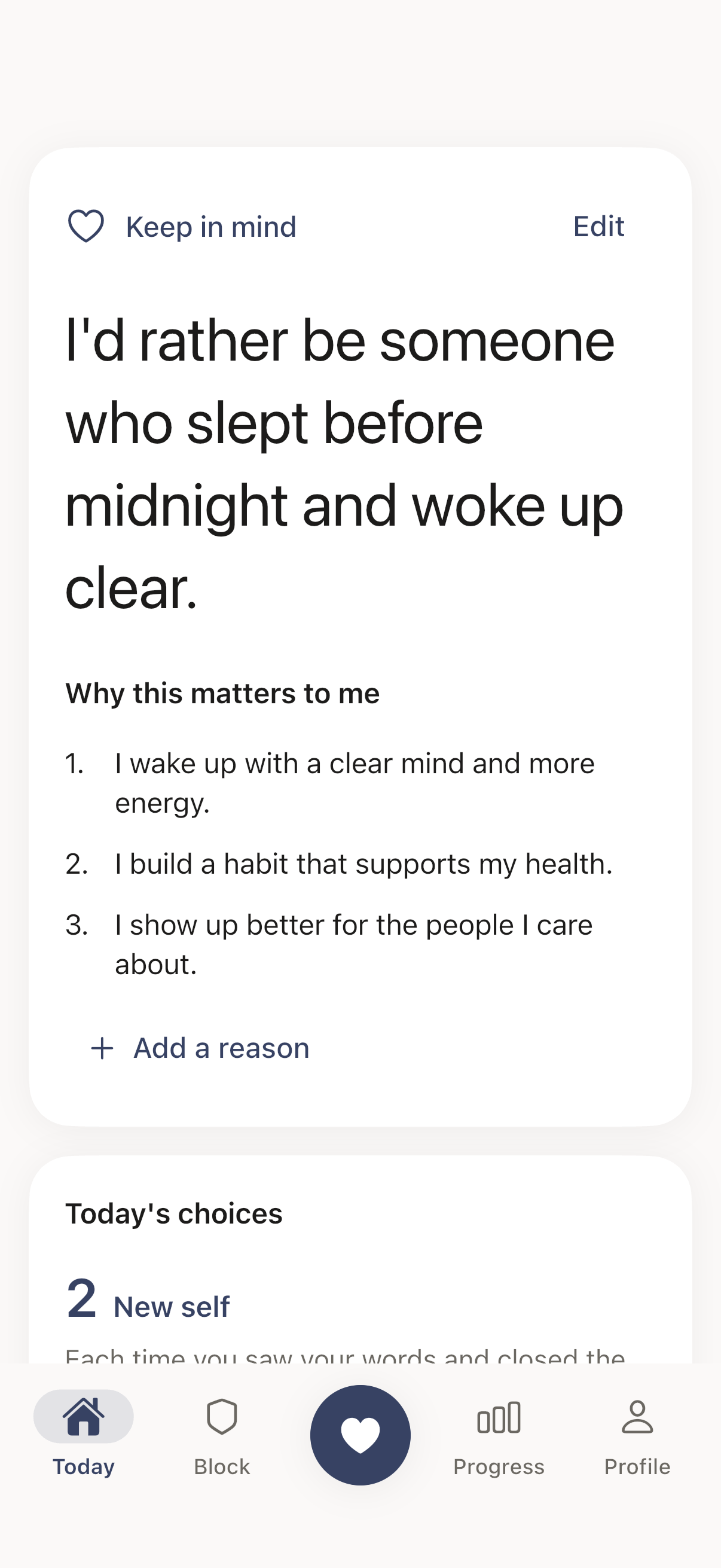
A choice every time you reach for the scroll
Step 1
Pick the apps that pull you in
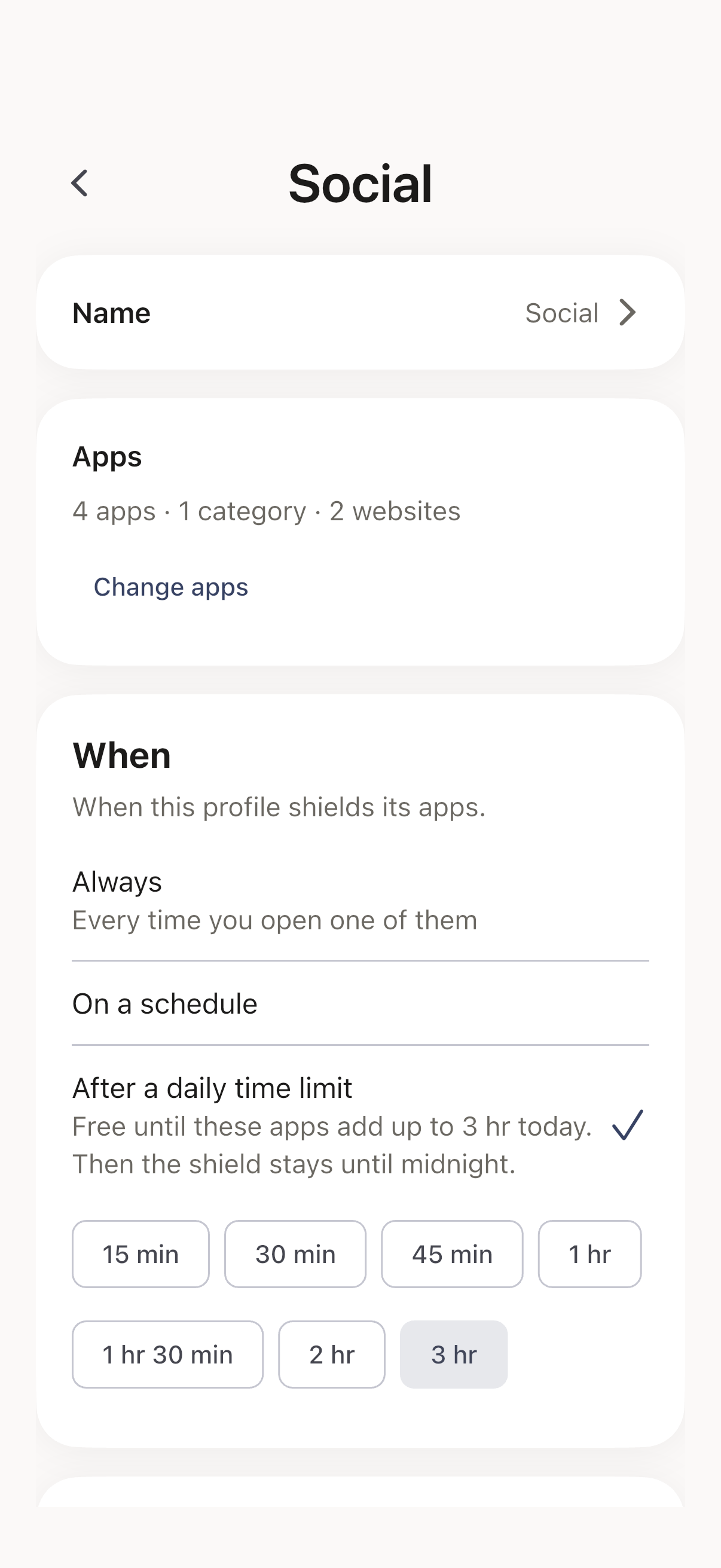
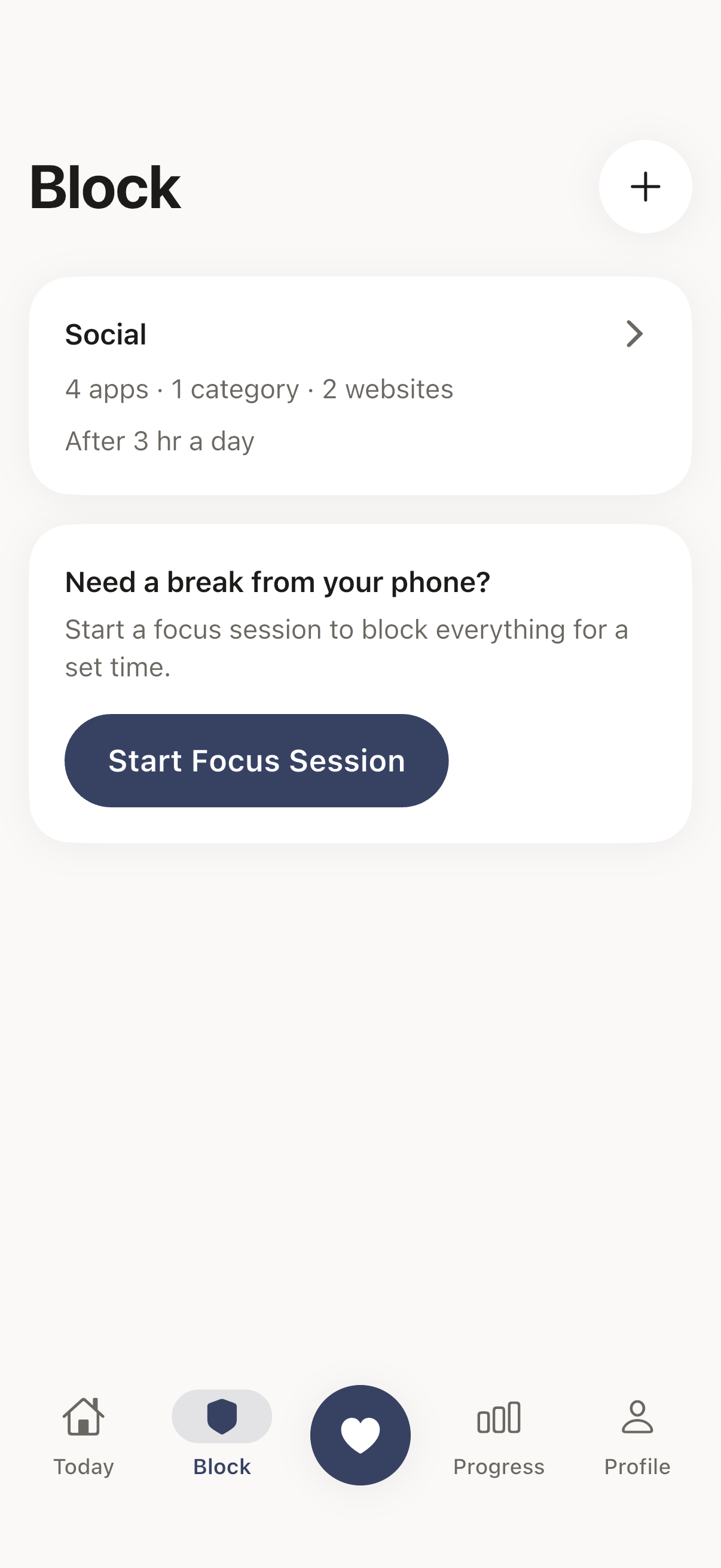
Group apps, whole categories and websites into profiles, like Social or News. Each profile blocks always, on a schedule, or once its apps reach a daily time limit.
Step 2
Meet your own words
Open a blocked app and a shield leads with your intention. Choose it and the app closes. Choose to scroll and the app opens for 15 minutes, then the shield comes back.
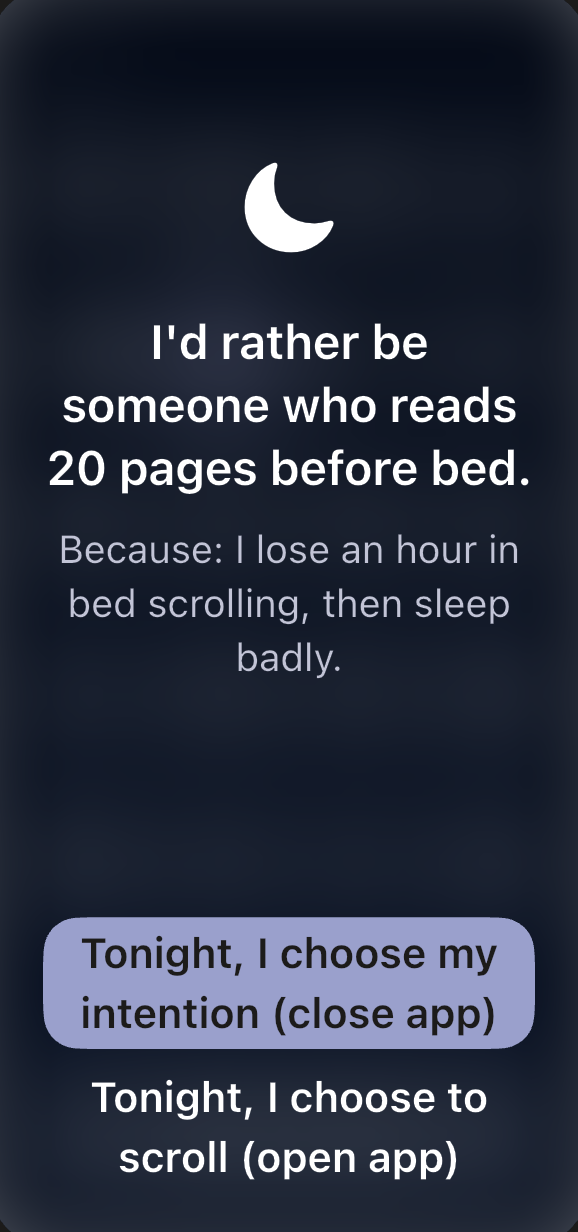
The shield as Rocus previews it during setup. The button wording changes from day to day. Step 3
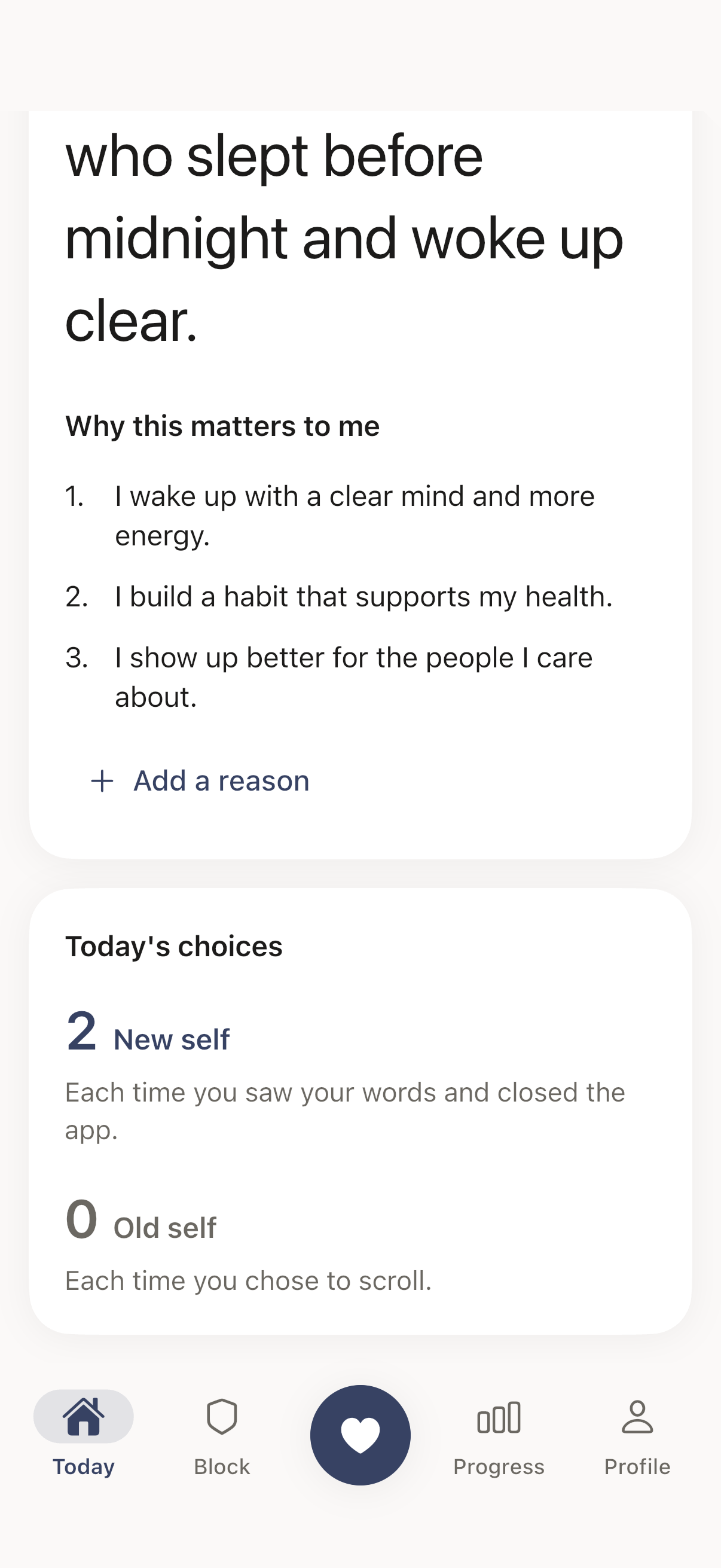
See which self you’re feeding
Every choice is counted on the Today screen: New self when you close the app, Old self when you scroll. Progress shows the screen time of the apps you protect.
Rules that hold
Limits you can’t wave away with one tap
Apple’s Screen Time limits end with a tap on Ignore Limit. Rocus gives you firmer rules for the days you want them.
Schedules
Block during the hours you choose, like 9 to 5 on weekdays.
Daily time limits
Use a profile’s apps freely until they add up to your limit. Then they stay shielded until midnight.
Open limits
Decide how many times a day you can choose to scroll. After that, the shield stays up.
Hard block
Take the scroll button away. You can still change it in Rocus, so it never traps you.
Focus sessions
Block everything for a set time, with no way through until it ends.
Apps, categories and websites
Pick them in Apple’s own picker, one app at a time or a whole category at once.
Privacy
What you set up stays on your phone
No account
You never sign up or sign in.
Rocus can’t see your apps
Apple gives Rocus a sealed token for each app you block, not its name.
Nothing personal is uploaded
Your intention, profiles and choices stay on your device. Only your purchase status and anonymous ad measurement leave it.
Pricing
Rocus Pro, with every feature
Both plans start with 7 days free. Cancel anytime in iOS Settings.
Yearly
Recommended
$59.99 a year
Free for 7 days, then billed once a year.
Weekly
$3.99 a week
Free for 7 days, then billed every week.
U.S. prices. The App Store shows the price in your currency before you subscribe. To avoid the next charge, cancel at least 24 hours before the trial or period ends.
FAQ
Questions, answered
- What does Rocus do?
- Rocus blocks the apps you choose, on rules you set. When you open a blocked app, a shield asks you to choose: your intention, or to scroll. Each choice is counted as New self or Old self, so you can see which one you are feeding.
- How is it different from Screen Time limits?
- Apple’s own limits can be dismissed with one tap on “Ignore Limit”. Rocus asks you to make a choice every time, can cap how many times a day you choose to scroll, and offers a hard block and focus sessions that take the scroll button away. Apps are grouped into profiles, each with its own rules.
- What happens when I choose to scroll?
- The app opens for 15 minutes, then the shield comes back. If the profile has an open limit, each choice counts toward it, and once the limit is reached the shield stays up for the rest of the day.
- When does a profile block its apps?
- You choose for each profile: always, on a schedule (for example 9 to 5 on weekdays), or after a daily time limit, when the profile’s apps have been used for a set number of minutes. You can pick apps, whole categories and websites.
- What are a hard block and a focus session?
- A hard block removes the scroll button from a profile’s shield, so its apps stay closed. A focus session does the same for a set time. You can still edit or remove a hard block in Rocus itself, so it never traps you.
- Is my data private?
- Yes. There is no account. Your profiles, schedules, reasons and choices stay on your device, and Rocus cannot even see which apps you block: Apple gives it a sealed token, not the app’s name. Only two things leave it: your purchase status, through our subscription processor, and anonymous ad measurement through Apple.
Next time you reach for the scroll, meet your own words
Coming soon on the
Free for 7 days · No account · iPhone with iOS 16 or later